
The Five Minute Habit That Keeps A Website Working

Do This Every Monday
- Fill in your own opt-in form and confirm the email arrives.
- Open your site on a phone and try to book or buy something.
- Read your home page out loud. If you run out of breath, it is too long.
Most websites do not break all at once. They rot quietly: a form that stopped sending, a page nobody has read since it was written, a link to something that no longer exists.
If you are running any kind of online income stream—a service business with a booking page, a product you sell, an email list you’re building—your website is not a static thing. It’s a machine. And like any machine, it needs regular maintenance or it stops working.
The problem is that most people discover their website has broken only when a customer complains, or worse, when they realize weeks have passed and nobody’s been able to contact them. By then, you’ve already lost sales and credibility.
I learned this the hard way. Years ago, I had a contact form that looked fine to me. I never tested it. A potential client tried to reach me and the email never arrived. He assumed I was ignoring him and went to a competitor. I didn’t find out for two months.
That’s when I built a five-minute habit that has kept every website I run functioning. It’s not flashy. It doesn’t involve redesigns or new features. It’s a simple Monday routine that catches problems before they cost you money.
That’s it. Five minutes, every Monday morning, before your inbox gets full.
The key is consistency and the key to consistency is removing decision-making. You don’t decide whether to do this. You do it the same day every week, the same time if possible, and you treat it like you treat brushing your teeth.
Why This Beats A Redesign
A redesign moves the furniture. This finds the leaks. Only one of those makes money.
I’ve watched people spend thousands on website redesigns—new colors, new fonts, new layout—while their contact form silently fails, their shopping cart has a bug on certain browsers, and their call-to-action button doesn’t work on mobile. The redesign looks better but makes the same amount of money, or less, because the fundamental problems were never fixed.
This five-minute habit does something different. It keeps your website doing the one job it has: converting visitors into customers or subscribers. It’s not about aesthetics. It’s about function.
Put it in your calendar as a repeating event. A habit that lives only in your head is not a habit.
There’s a reason I’m specific about putting it in your calendar. Intentions don’t work. I’ve done the “I’ll just remember to do this” thing and within three weeks I forget. Then a month passes. Then three months. Then you realize you haven’t tested your forms since you last updated your email provider, and something’s broken.
Breaking Down Each Step: What Actually Goes Wrong
Step One: Fill in your own opt-in form and confirm the email arrives
This is the most common place websites stop working and the owner never notices.
When you set up an email form the first time, it works. You test it, you get the email, you feel good. But then your email provider changes something. Or your hosting company updates their security settings. Or you switch email platforms. Or a plugin stops being maintained. The form still appears on your site—it looks exactly the same—but it stops sending emails behind the scenes.
The visitor fills it out. Nothing happens. They assume you’re ignoring them. You assume nobody’s interested in what you’re offering. Both of you are wrong, but the damage is done.
Testing this yourself every Monday catches this immediately. You fill out the form with a test email address you control. You wait two minutes. If the email doesn’t arrive, you know you have a problem to fix that day, not a mystery to discover three months later when a client gets angry.
What to test: Does the email arrive? Does it arrive within a reasonable time, or does it take ten minutes? Does it go to spam? Does the confirmation page show up? Can you actually access whatever they were promised—the download, the guide, the course access?
Step Two: Open your site on a phone and try to book or buy something
Desktop views are misleading. Your site looks fine on your laptop. But most of your visitors are on phones, and phones show different problems.
Buttons that are easy to click on desktop are too small on mobile. Forms that are readable on a big screen are confusing on a small one. Images that load fine on your home internet are too big and time out on cell data. Dropdown menus don’t work on touch screens.
I spent weeks wondering why my booking page wasn’t converting well until I tested it on an actual phone. The date picker—the tool for selecting an appointment time—didn’t work at all on mobile. It worked perfectly on desktop. I never would have known if I hadn’t tested it.
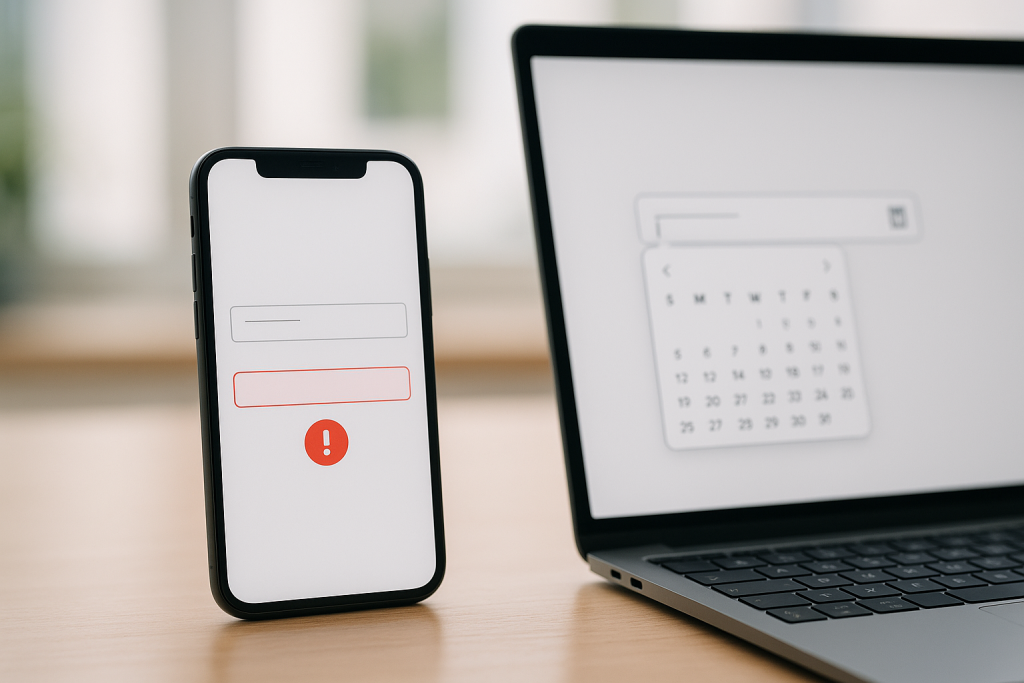
What to test: Can you actually complete a purchase or booking from start to finish? Does every button work? Do all the form fields appear and function correctly? Does the page load in a reasonable time on cell data, not just on your home wifi? Are the prices and payment options clear? Can you get to your confirmation page?
The reason this takes only five minutes is because you’re not writing blog posts or optimizing images. You’re literally walking through what a customer would do. If something breaks, you find it in real time.
Step Three: Read your home page out loud. If you run out of breath, it is too long.
This one sounds strange until you do it. Reading aloud forces you to actually hear what you’re saying.
When you read silently, your brain fills in gaps and skips over clunky phrasing. Your eyes move fast and you don’t notice if a paragraph says the same thing twice. You don’t feel the weight of long blocks of text that have no breaks.
When you read out loud, you hear every word. You feel when a sentence is too long. You notice when you’re repeating yourself. You hear when your voice sounds fake or sales-y instead of like a real person talking.
The “run out of breath” part is literal and functional. If you can’t read a paragraph without taking a breath in the middle, it’s too long. Break it up. Add a subheading. Delete something. A visitor on a phone with limited attention is not going to read a ten-sentence paragraph about your background. They want to know if you solve their problem and how to work with you.
This is also where you catch typos, outdated information, and broken promises. I’ve found links to products we no longer sell. I’ve found testimonials from clients we worked with five years ago. I’ve found sections that contradicted other sections.
A Worked Example: What This Catches In Real Time
Let me walk you through a real Monday morning check that caught three problems at once.
I filled out an opt-in form on a client’s site. The form appeared to submit. I waited for the confirmation email. It never arrived. I checked spam—nothing. I had just found problem one.
I went to the phone version to look at the booking page. The form loaded, but the date picker was frozen. Clicking it did nothing. Problem two.
I read the home page out loud. Midway through a paragraph about services, I ran out of breath. I looked at it on screen—four sentences, 87 words, all lumped together with no breaks. Problem three.

That’s three live issues that were costing money, all found in five minutes.
The opt-in problem was a plugin conflict that needed two lines of code to fix. The date picker was a known issue with a specific browser that required a plugin update. The home page paragraph just needed to be split into two parts with a subheading.
None of these were big problems in isolation. But collectively, they meant fewer sign-ups, fewer bookings, and a home page that didn’t convert. If I’d discovered them by customer complaint, I’d already have lost two or three weeks of income.
The Friction Point: When You Find A Problem, You Have To Fix It
Here’s where most people get stuck. They do the Monday check, they find something broken, and then they procrastinate on the fix.
This is the real discipline: commit to fixing problems the same day you find them, or the habit falls apart. You start skipping Mondays because you dread the problems. You know something’s broken and you don’t want to deal with it.
The fix doesn’t have to be perfect. An opt-in that’s broken gets redirected to an email address or a Google Form for the day while you troubleshoot. A booking button that’s stuck gets a note saying “Email me to book this week.” A home page paragraph that’s too long gets split up, even if you’ll rewrite it better later.
The goal is to keep your website functioning, not to keep it perfect. A half-working website that you fix same-day beats a polished website with silent failures.
I’ve also built in a rule: if a fix will take more than thirty minutes, I note it and schedule dedicated time for it later in the week. But I make a temporary fix immediately so the site keeps working. This keeps Monday’s five minutes honest.
Why This Works Better Than Big Yearly Audits

Some people try to do a big website audit once a year. They block off an afternoon, they go through everything, they make a list of fixes.
By the time they get to item three on the list, they’re overwhelmed. They do three fixes, feel good about it, and close the project. The list of twelve problems sits in a spreadsheet and most of them never get fixed.
Worse, if you only check your website once a year, problems compound. A form breaks in January and stays broken until your December audit. That’s eleven months of lost signups.
A five-minute weekly check is better because the problems are smaller and fresher. You fixed something last Monday, so this Monday you’re only catching what changed this week. It’s not overwhelming. You can actually fix it the same day. And because you’re doing it weekly, you catch issues fast.
What This Habit Protects
If you have any kind of online income stream, your website is a customer-facing tool. It’s doing work for you even when you’re sleeping.
A working website is a machine that:
- Captures leads every day
- Processes orders or bookings without human intervention
- Answers common questions so you don’t have to
- Works in your timezone and outside your timezone
- Builds credibility for your business
A broken website is a leak in every one of those things. A form that doesn’t work is a leak in lead capture. A booking page that’s confusing on mobile is a leak in conversions. A home page with outdated information is a leak in credibility.
This five-minute habit is literally plugging those leaks before they cost you money.
Making This A Real Habit
The difference between a good idea and an actual habit is the calendar event.
Open your calendar right now. Go to a Monday morning—pick one time, maybe 8 AM, maybe 10 AM. Set a recurring reminder. “Website check: 5 minutes.” Make it repeat every Monday. Add a note in the event with the three steps so you don’t have to remember them.
That’s it. You don’t need an app or a system. You need a calendar entry that interrupts your morning before you get deep into email.
I set mine for Monday at 8:15 AM, right after my coffee but before I open Slack. It takes exactly five minutes. Then I move on to the rest of my day. If something’s broken, I fix it immediately while I have momentum. If everything works, I close the browser and feel good about it.
The first time you catch a real problem before a customer does, you’ll understand why this habit is worth five minutes of your week.
You might also find that as your site gets more sophisticated—maybe you add a sales funnel, or a course platform, or integrations with other tools—you’ll want to check more things. But the foundation is always the same: the form works, the booking or checkout works on mobile, and the home page communicates clearly. Those three things are what keep money coming in.
When Your Site Gets Bigger
If you’re just starting out, the three-step check is enough. But as your business grows and you add more pages, more integrations, more customer touchpoints, you might add more checks.
Maybe you add a step to check that your main sales page is still live and the call-to-action button works. Maybe you check that a specific email sequence is sending correctly. Maybe you verify that your payment processor is connected and processing test transactions.
But you don’t add these all at once. You add them only when you have a second income stream or a second product. And when you do, you keep it under ten minutes total.
The moment this habit takes longer than ten minutes, it stops happening. You’ll find reasons to skip it. Keep it tight.
The Money Impact You Don’t See
Here’s what makes this hard to quantify but real: you never see the revenue that a working website protects.
You don’t know how many people tried to fill out your form and walked away when it didn’t work. You don’t know how many people would have booked if the mobile page loaded faster. You don’t know how many potential customers skipped your site because the home page looked abandoned or out of date.
The money is invisible until you break something and fix it, then watch conversions improve.
But over time, a website that’s consistently maintained converts better than one that’s neglected. A customer who reaches out and gets a response because their email actually arrives feels more confident than one who emails you and hears nothing. A booking page that works on the first try turns browsers into customers instead of frustrated people who go find someone else.
This habit doesn’t make your website flashy. It makes it reliable. And reliability is what makes money.
Start This Week
You don’t need a redesign. You don’t need new features. You need your current website to work.
Pick a Monday. Set the calendar reminder. Do the three steps. Five minutes. That’s the whole thing.
The first time you catch a real problem before it costs you a customer, you’ll know why this habit exists. The second time, it becomes part of your routine. By the third month, you won’t think about it—it’ll just be something you do on Monday morning.
And your website will work better, your customers will have fewer problems, and you’ll make more money. Not from a redesign. From actually maintaining the machine you built.
Frequently Asked Questions
How do I know if my contact form is actually broken?
Fill out your own form with a test email address and wait two minutes for the email to arrive. If it doesn’t show up in your inbox or spam folder, the form is broken and needs fixing. This is exactly what step one of the Monday check does—it catches the problem immediately instead of discovering it weeks later when a customer gets frustrated.
Why does my website look fine on my computer but not on my phone?
Desktop browsers display websites differently than mobile browsers, especially for buttons, forms, and image sizes. Phones have smaller screens and touch-based navigation, which breaks elements that work fine with a mouse. That’s why step two requires you to test the actual booking or purchase flow on a real phone—not a desktop browser preview—to catch these hidden problems.
What should I do if I find multiple problems during my Monday check?
Fix the ones that take under thirty minutes the same day so your website keeps working. For bigger problems, make a temporary fix immediately—like redirecting a broken form to an email address or adding a note about unavailable bookings—then schedule time later in the week to fix them properly. This keeps the Monday check under five minutes while keeping your site functional.
How often should I test my website if it’s simple with just a home page?
Weekly is still the right frequency, even for a simple site. Forms break silently, links stop working, and content gets outdated—and you often won’t notice until a customer tells you. A five-minute Monday check catches these problems early before they cost you potential customers or credibility.
